



Description
Extended specifications:
| Power supply 1 | USB | micro-USB connector |
| Power supply 2 | 5...15Vdc (60...120mAdc) | DC 2.1mm plug |
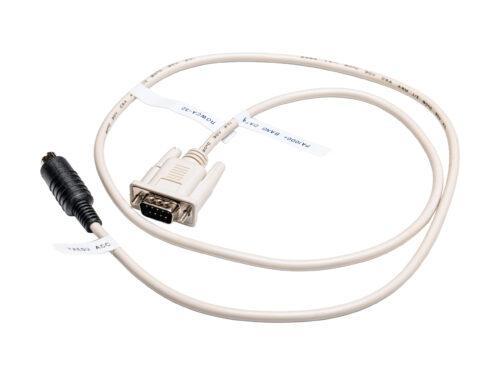
| Interface to PA1000+ | DB-9 connector | female-male, all pins connected |
| Bluetooth ver. | BLE 5.0 | installed |
| Size | 66 x 66 x20 | mm |
| LED status | diagnosis via LED status | see HERE |
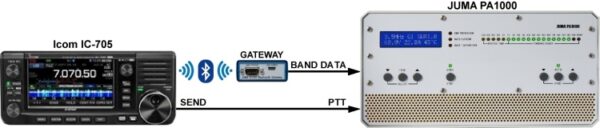
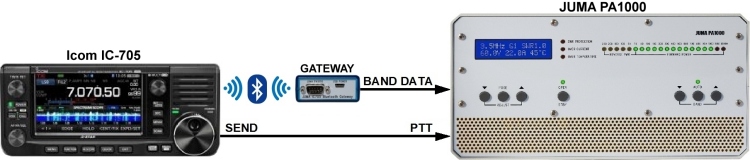
Interconnection diagram:
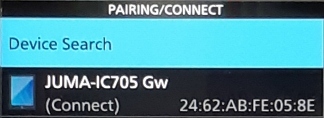
Pairing Icom IC-705 to JUMA Gateway
– Power up JUMA Gateway and IC-705 transceiver
– Go to IC-705 Bluetooth menu. Set Bluetooth ON and Auto Connect ON.
– Go to PAIRING/CONNECT and activate Device Search
– Select JUMA-IC705 Gw (Each Gateway has an individual HEX-number ID, see the sticker on the bottom cover)
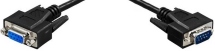
Band data cable
– Connect a DB9 cable (female-male with all pins connected) from JUMA gateway to JUMA PA1000 BAND DATA connector.
– Select BCD band data in JUMA PA1000
– Activate AUTO BAND in JUMA PA1000 (Green AUTO led should be ON) and check the band tracking

PTT cable
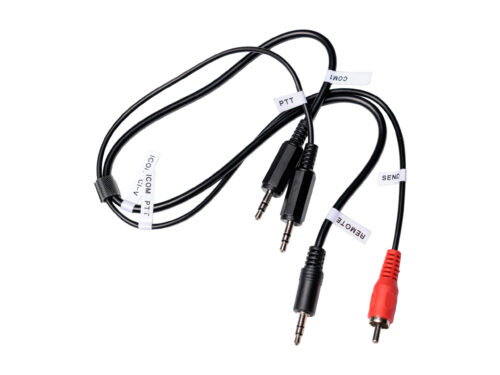
– IC-705 provides a 5V compatible open collector PTT output in the tip terminal of the 3.5mm SEND jack.
– Connect a 3.5mm plug cable from IC-705 SEND jack to JUMA PA1000 PTT jack.
– A standard audio cable can be used, both mono and stereo cables are ok.
– Check the PTT functionality.
Note1. Start JUMA Bluetooth Gateway before IC-705 to get auto Blutooth connection.
Note2. Check that IC-705 CI-V address is A4H
Note3. Set TX delay of 20ms in IC-705 to avoid hot switching in an amplifier.
The blue enclosure is transparent and you can follow the operation with the LEDs inside. See LED info here.